For people who run content and affiliate sites
Your Amazon earnings per site, minus the bots.
GA4 now counts bot traffic as visitors. Amazon now hides which tracking ID earned what. Two free tools put the honest numbers back. They run in your browser, so your data stays on your computer.
GA4 Bot Index. 59.4% of GA4 sessions across the sites we monitor look like bots (last 30 days, 25 sites).
Updated daily from our own monitor. How it is measured
Two free tools
Amazon Associates report reader
Drop in the Tracking ID report. See earnings per site, what is hidden in “Others”, and earnings per click where there are enough orders to trust it.
Open the readerGA4 bot checker
Drop in a GA4 export by channel and country. See which rows behave like scripts, the share of your sessions they make up, and your human count.
Open the checkerComing next: the monitor
One page for all your sites: human visitors, earnings, earnings per 1,000 humans, AI citations, and an alert when bots spike or a buy link breaks. We built it for our own portfolio of about 100 sites first. It reads the analytics you already have, so there is nothing new to install.
Want a dashboard like this for your business?
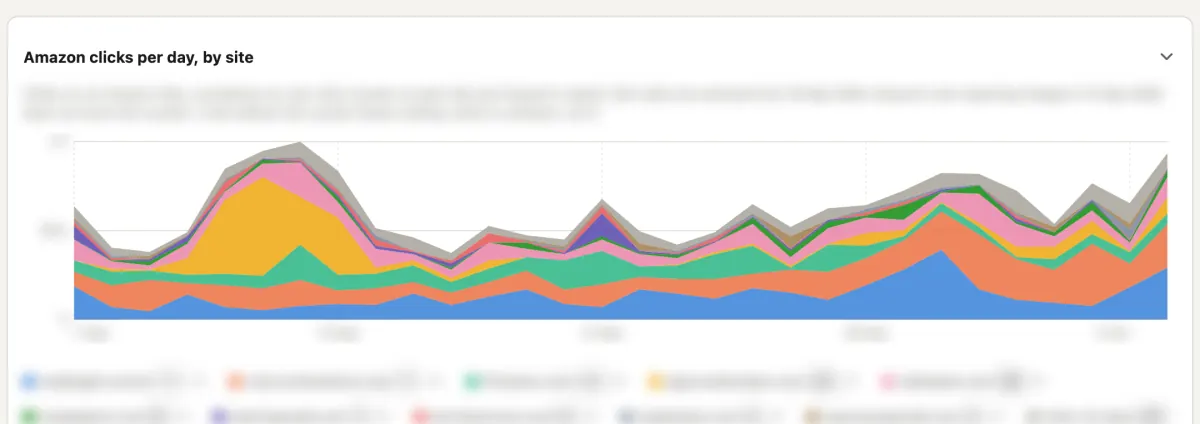
MinusBots runs on the dashboard we built for our own sites. We build the same kind of dashboard for you, around your own numbers: sales, ads, stock or bookings, with the bots taken out. Fixed price, quoted up front. See examples and ask for a price.
Questions
Do I have to upload my data?
No. Both free tools read your file inside your browser. The file never leaves your computer, and we keep no copy.
How do you decide a session is a bot?
A visitor who makes one session and sees about one page, over and over, at scale, is a script. We flag rows where sessions per user is 1.05 or lower and views per session is 1.15 or lower. Real people come back and click on. When your export has no users or views, we use engagement: under 5% engaged and under 2 seconds.
Why does my Amazon report show dashes?
Since 2026-09-14 Amazon groups low-activity tracking IDs into a row called Others. The dashes mean Amazon hid the number. The reader shows them as unknown and never as zero, because the money may be sitting in Others.
Is GA4 not filtering bots already?
GA4 filters known bots from the IAB list. The China and Singapore wave that started in 2025 gets past that filter. On many small sites it is now the biggest traffic source.
What will the paid monitor do?
Connect GA4, Search Console, Bing and Cloudflare once, add your affiliate reports, and see human visitors and earnings for every site, every day, with alerts when bots spike or a money page breaks. It is not open yet. Join the waitlist to hear when it is.